
Download xBar for Windows – Productivity Tool, Windows Utility, App Launcher, Taskbar Alternative, System Monitor
Overview
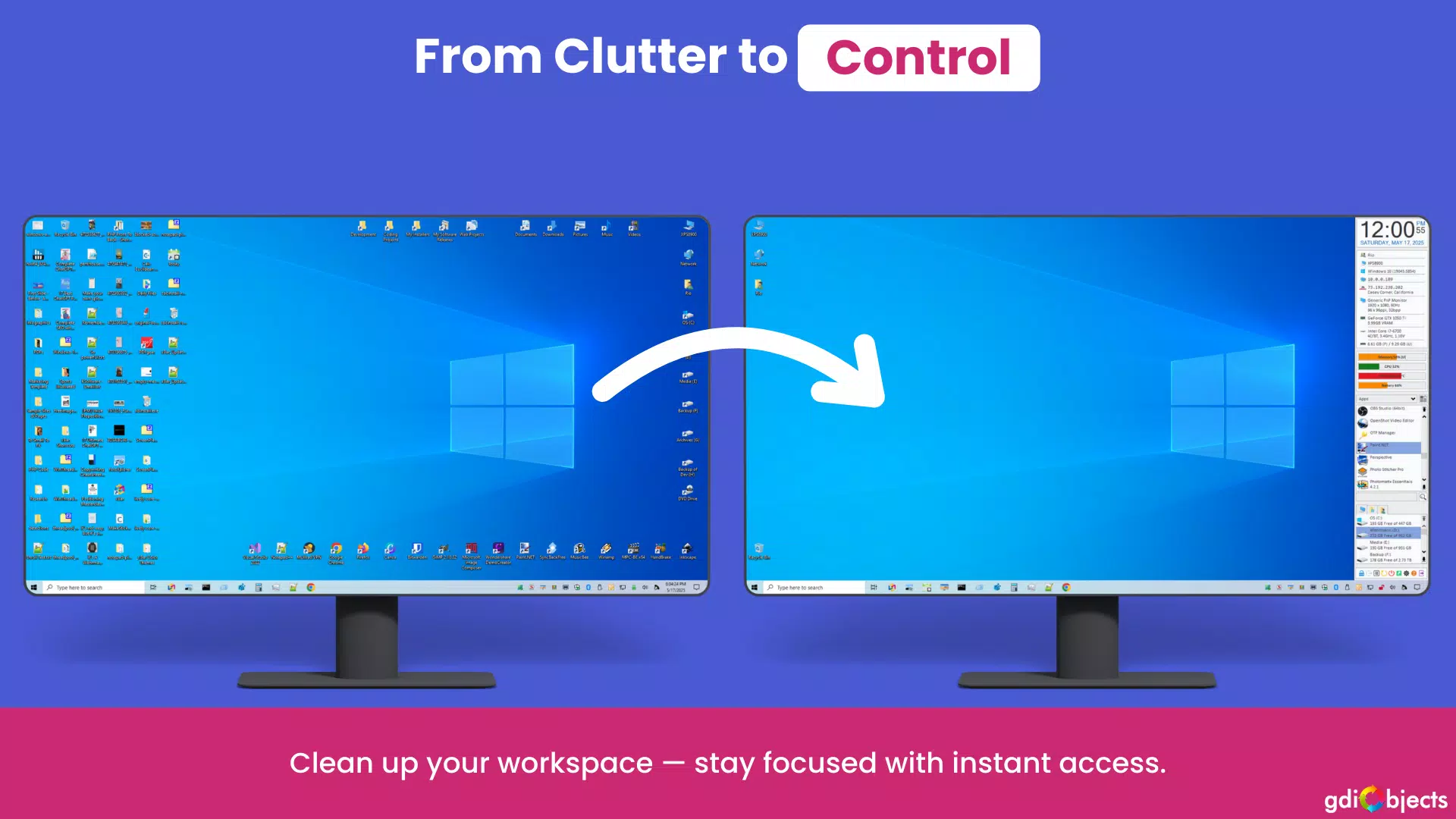
Designed for productivity-focused professionals and tech-savvy users, xBar for Windows delivers a streamlined, efficient alternative to the default Start Menu and Taskbar. By offering instant access to frequently used apps, files, and system tools, it addresses common frustrations with cluttered interfaces and slow navigation. The app aims to reduce workflow interruptions by centralizing essential functions into a single, intuitive sidebar. Its primary purpose is to enhance user focus and efficiency, particularly for individuals managing multiple applications or workflows on a daily basis.
Target users include power users, remote workers, developers, and anyone seeking to optimize their desktop environment. The app is especially beneficial in high-demand scenarios such as software development, content creation, and data analysis, where rapid access to tools can significantly impact output. While the developer, xBar for Windows, did not provide additional background information, the app’s clean design and functionality suggest a focus on performance and usability. It fills a niche in the Windows ecosystem by offering a customizable, lightweight tool that complements rather than replaces native system components.
Real-world use cases include launching development environments, accessing project folders, monitoring system health during long sessions, and quickly switching between tasks. The app’s ability to minimize distractions aligns with modern productivity principles, making it a valuable utility for users aiming to maintain a distraction-free workspace.
Key Features & Functionality
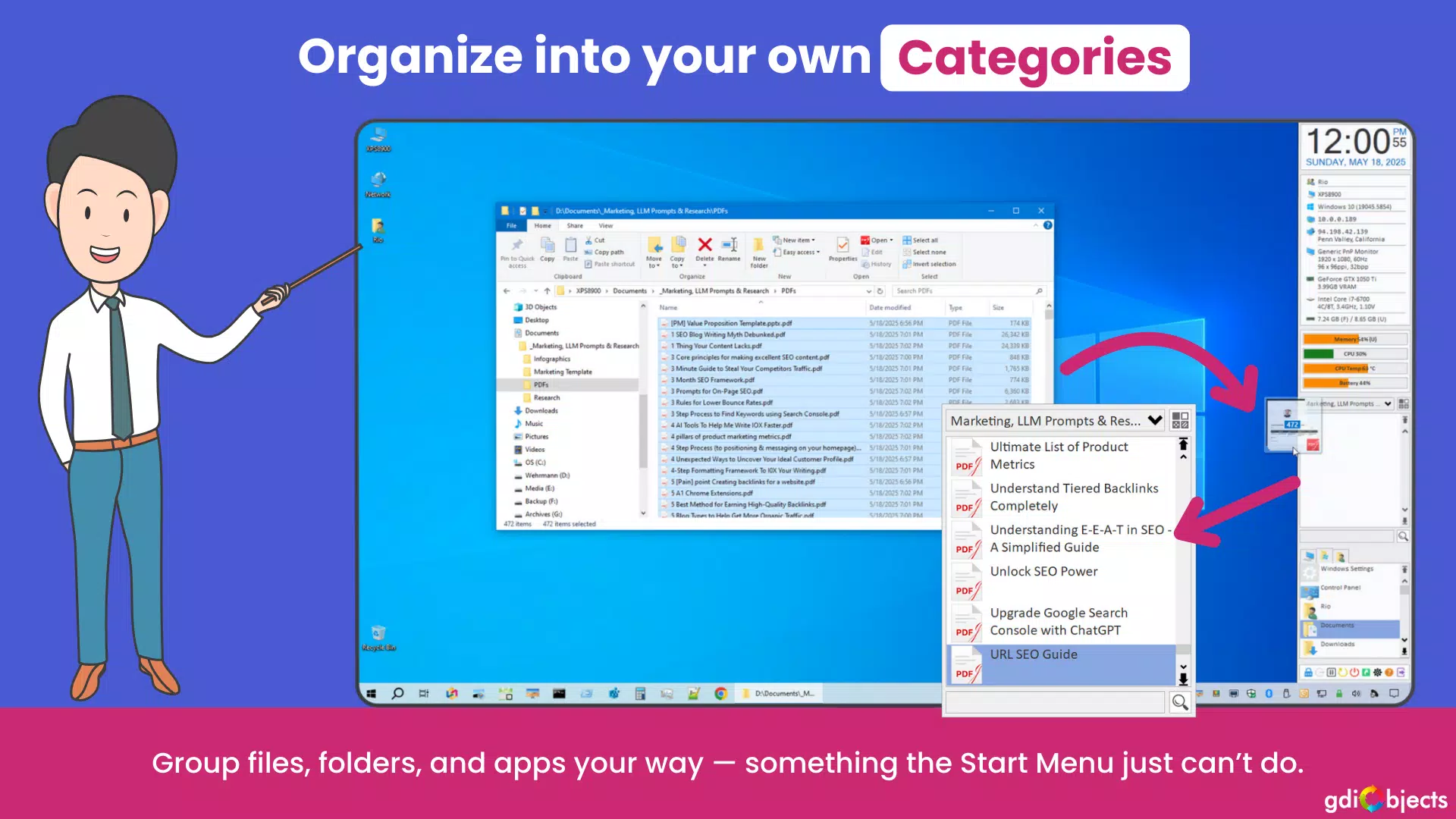
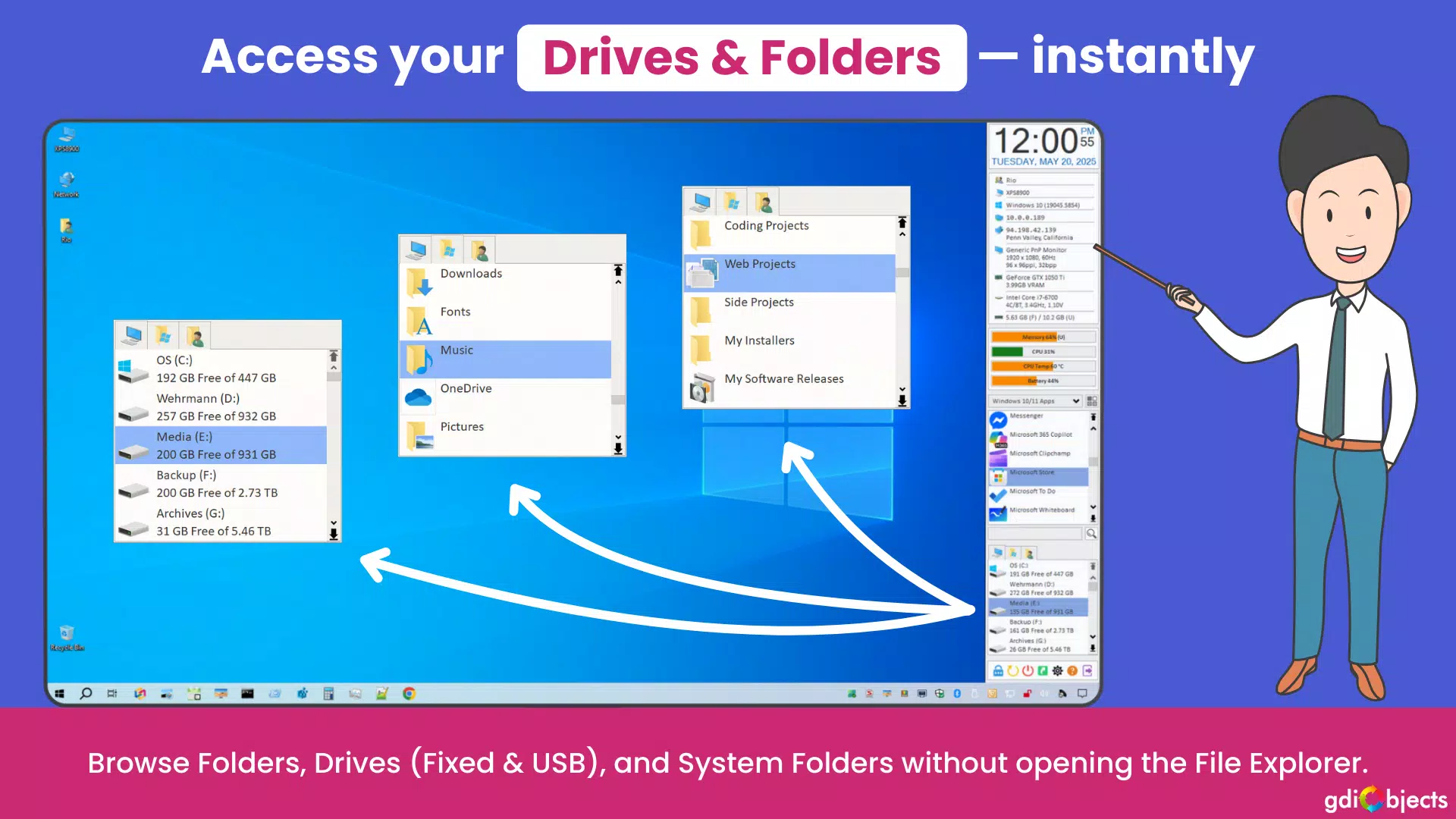
- Instant Access to Essentials: Users can organize their most-used apps, files, and folders into the sidebar for one-click access. This eliminates the need to navigate through nested menus or search across the Start Menu, saving time and mental effort.
- Customizable Layout: The sidebar supports modular widgets that can be rearranged via drag-and-drop. Users can choose to dock the bar on the left or right side of the screen, adapting it to their workflow preferences and screen layout.
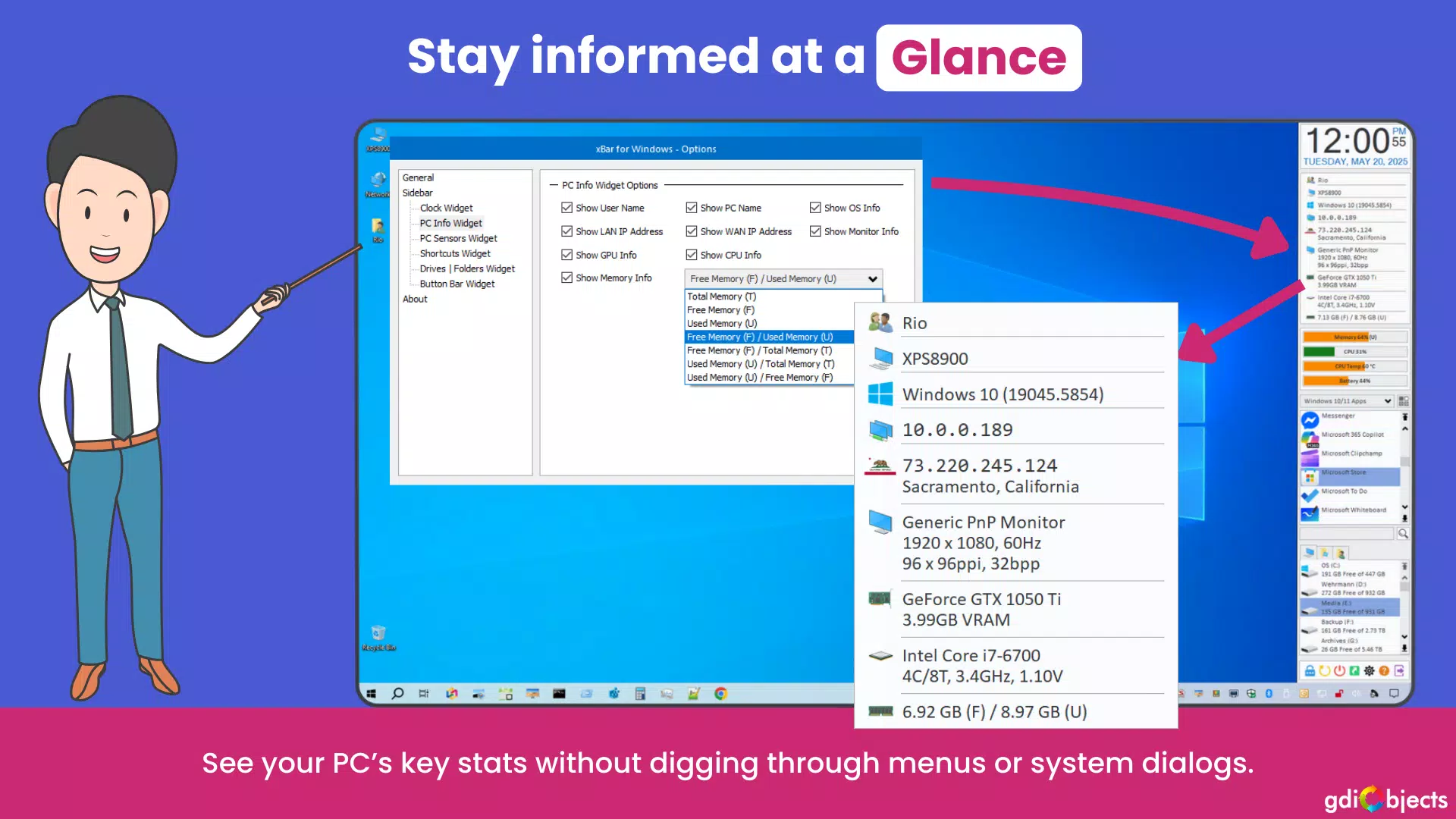
- Real-time Monitoring: Built-in widgets display live system data, including CPU usage, RAM consumption, and battery levels. Color-coded indicators allow users to quickly assess performance without opening separate monitoring tools.
- Lightweight and Safe: Optimized for minimal system impact, xBar runs quietly in the background. It is free from ads and telemetry, ensuring a clean user experience. The software is digitally signed, requiring admin rights only during installation.
- 30-day Free Trial: Users can test the full functionality without registration or intrusive prompts. After the trial, a one-time purchase grants a perpetual license with free updates, offering long-term value and flexibility.
These features collectively support a seamless workflow. For example, a developer can launch their IDE, open project directories, and monitor memory usage—all from a single, unobtrusive sidebar. Similarly, a designer can access frequently used tools and files without switching between windows or searching through folders.
Interface, UX & Performance
The user interface of xBar for Windows is clean, minimalist, and purpose-driven. The sidebar appears only when needed, supporting an auto-hidden mode that keeps the desktop uncluttered. Navigation is intuitive, relying on visual cues and direct interaction—users can drag and drop items to reorder them or add new shortcuts with a simple click.
Visual style emphasizes functionality over ornamentation, with a neutral color palette and clear iconography. The layout is responsive across various screen sizes and resolutions, adapting well to both standard monitors and high-DPI displays. Although the developer did not list formal performance metrics, the app’s 4.5 MB file size suggests a lightweight footprint, and its background operation implies low resource consumption.
Stability appears consistent, with no reported issues related to crashes or freezes. The app integrates smoothly with the Windows environment, avoiding conflicts with other system tools. Responsiveness is maintained even when multiple widgets are active, ensuring that interactions remain fluid and immediate.
Platform Compatibility & Technical Requirements
xBar for Windows is designed for the Windows operating system. The current version is 1.2.0, with a file size of 4.5 MB. The developer did not specify minimum OS requirements or compatibility details beyond the platform name. As such, users should verify system compatibility before installation.
While the app is optimized for performance, specific hardware or software prerequisites were not disclosed. The installer requires admin rights for setup, which is standard for system-level utilities. No additional dependencies or runtime environments were mentioned.
Pros and Cons
Pros
- Lightweight design with minimal system impact
- Intuitive, customizable sidebar layout
- Real-time system monitoring with visual indicators
- 30-day free trial with no registration or nagging
- Perpetual license with free updates after purchase
Cons
- Developer did not provide detailed system requirements
- Compatibility with older Windows versions was not confirmed
- Limited customization options beyond layout and widget placement
- Requires admin rights for installation
- Only available for Windows, no cross-platform support
FAQ
Is xBar for Windows safe to install?
Yes, the software is digitally signed and free from ads, tracking, or malware. It requires admin rights only during installation, which is standard for system utilities.
Can I use xBar on older versions of Windows?
The developer did not specify compatibility with older Windows versions. Users should check their system specifications before installing.
Does xBar for Windows require an internet connection?
Installation requires an internet connection, but the app functions offline once set up. Updates are downloaded automatically if enabled.
Is there a mobile version of xBar?
Currently, xBar for Windows is only available for the Windows platform. There is no mobile version or iOS/Android release.
What happens after the 30-day trial ends?
After the trial period, users can purchase a perpetual license for a one-time fee. This grants full access and free updates without recurring costs.
Final Thoughts
xBar for Windows stands out as a focused, efficient utility for users seeking to reclaim control over their desktop experience. Its minimalist design, real-time monitoring, and customizable layout make it a powerful tool for productivity-driven professionals. While limited to Windows and lacking detailed compatibility information, its lightweight nature and secure installation process mitigate many common concerns.
For individuals who spend long hours on their computers and value speed, organization, and system awareness, xBar offers a compelling upgrade to the default Windows interface. The 30-day trial allows for risk-free evaluation, and the perpetual license model ensures long-term value.
Download xBar for Windows now


